Listing - FAQs
The listing is not published, you get error messages or something is not working? Here we have collected the most frequently asked questions about listing.
Initial situation:
The booked listing should already be active. However, it has the status "in process". What is the reason for this?
Answer: 1. The listings service in Markee is currently not active. For various reasons, we stop the Listing Service in Markee, e.g. to maintain the service, add new features, etc. As long as the Listing Service in Markee is disabled, no listings will be submitted to Yext. As soon as the service is available again, all "work" accumulated until then will be processed in the background. For this reason, the listing status change in Markee may be delayed.
2. Yext has detected a possible duplicate In order to provide reliable data, the first step is to automatically check if there is a duplicate. If there is any uncertainty about this, the listing is manually checked by Yext.
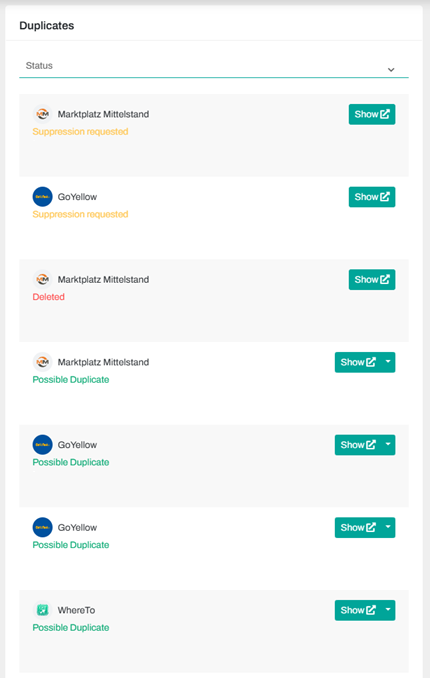
If this is the case, you will get the above message in Markee. Currently, you or our support can intervene at this point. You can check if there might already be an active listing on Yext. To do this, run the scan via this link. If the Yext scan indicates that the customer does not have an active listing yet, please contact our support.
Initial situation:
The booked listing should already be active. But it has the status "Failed". What is the reason for this?
Answer: A duplicate was detected by Yext. You will get the following message in this case:
You can check if there might already be an active listing on Yext. To do this, run the scan through this link.
Please also check in Markee if in your workspace the customer is already posted with an active listing. Sometimes the customer is already listed under a similar name. If the Yext scan indicates that the customer does not have an active listing yet, please contact our support.
Initial situation:
The customer has finished the listing and wishes to release the data (e.g. release for own administration or via another provider) or wishes to delete the data on the previously supplied portals.
Answer: When the listing is ended, the contractual relationship with Yext also ends. This also terminates the synchronization of the portals. The location data on the portals remains and is not automatically deleted. The individual portals will gradually receive the information from Yext that the contractual relationship has ended and thus also the release of the data. This process takes some time and the duration varies depending on the portal.
Regarding the deletion request: The location data on the portals will remain and will not be deleted automatically. If the customer wants the data to be deleted, he must contact the portal directly. For legal reasons, we cannot submit a request to the portals.
Initial situation:
Markee displays a message that the address could not be found. What does this mean?
Answer: The address validation in Markee is connected to the Google API, that means that the address is directly matched with Google's "address database". Yext also uses this in its system. If you get the message that the address was not found, this is because Google does not (currently) have this address in its system. This can have several reasons: A spelling mistake in the address entry or the address does not (currently) exist on the part of Google.
You can use the address auto-completion in Markee to display suggestions for the address. To do this, click in the upper address field above the map. In most cases, suggestions for the address will be displayed here.
If there are no suggestions, then this address does not currently exist in the Google database. For the listing, this means that the address is transmitted to Yext, but Google and other portals may have difficulties in delivering it.
Initial situation:
Some portals fail to go live and I get a message that the address has not been located. What can I do?
Answer: First, make sure that the address is correct. To do this, use the auto-complete function (see question above) to start a comparison. If the address is correct, then move the map marker in Markee a little or to the place where the company is located. Now the portals should jump to "in progress" and ideally then to live.
Question:
Are there any restrictions on the part of Yext for the delivery of the images?
(E.g.: dimensions, maximum number).
Answer: Yext has published a guidelines for the delivery of the images. Guidelines for photos